

I had been using Google Domains since 2014. It made it easy for me to launch Shopify and Vercel projects while connecting multiple domains to Google Workspace. Since I am not a fan of Squarespace, I decided to move my domains to GoDaddy instead.
I started transferring domains away from Google Domains, and if you are planning to move your domain to another provider, keep in mind that the transfer can take 5 to 7 days. 👉
Below, I’ve outlined the step-by-step process for transferring your domain to GoDaddy.com.
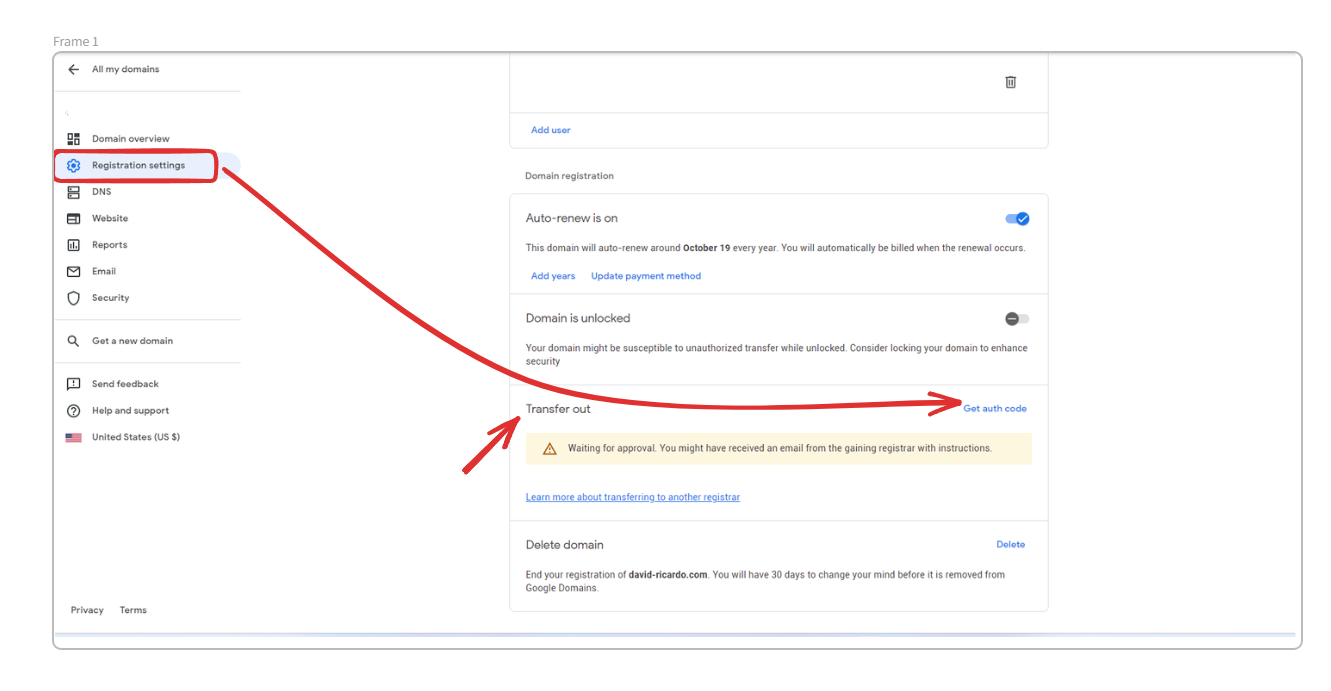
Step 1: Log in to your Google Domains account, find your domain, and click on Registration Settings. Please refer to the screenshot below.
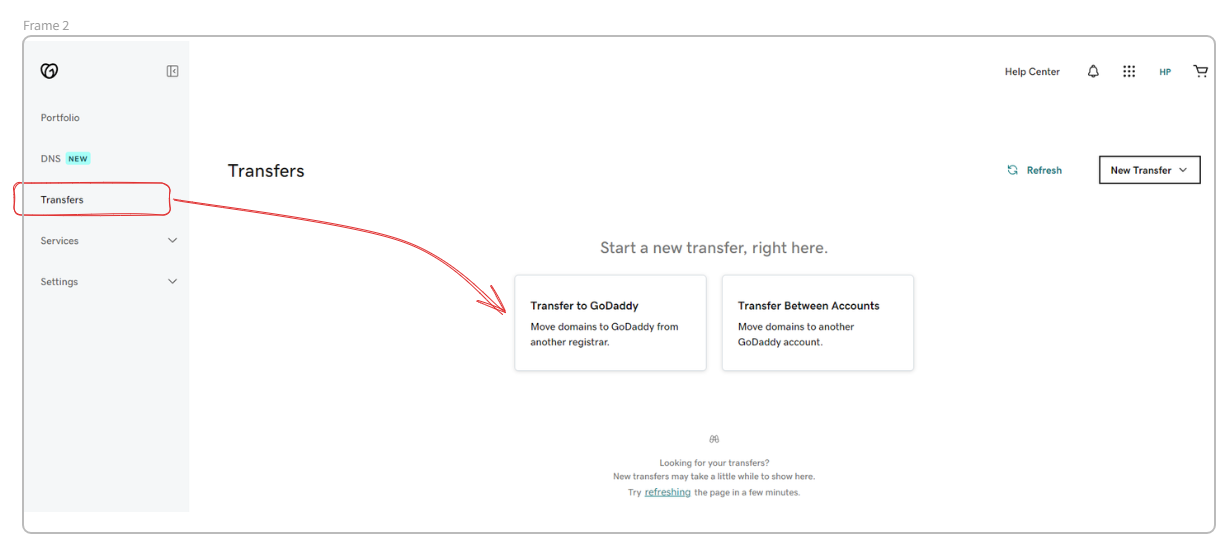
Step 2: Go to GoDaddy and select Domains. A new window will open. From there, choose Transfer. See the screenshot below.
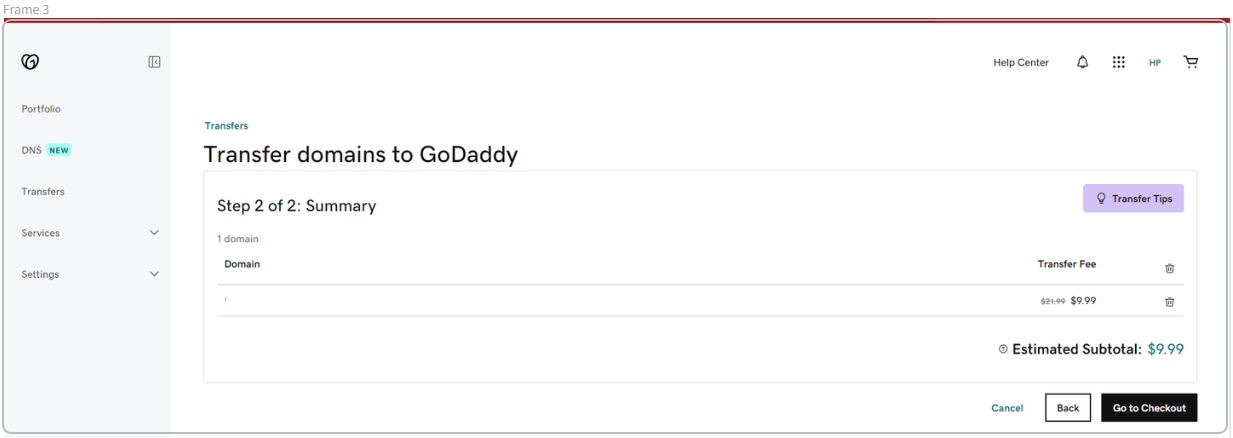
Step 3: Enter your domain name on the next screen, then complete the payment for your first year of registration.
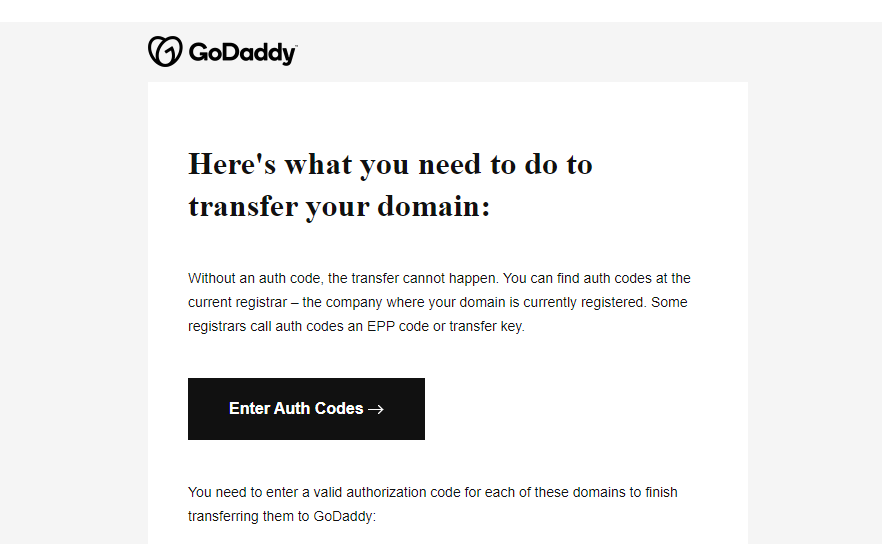
Step 4: After completing the payment, return to the domain screen and click Transfer on the left side. Then enter the Auth Code from your Google Domains account from Step 1.
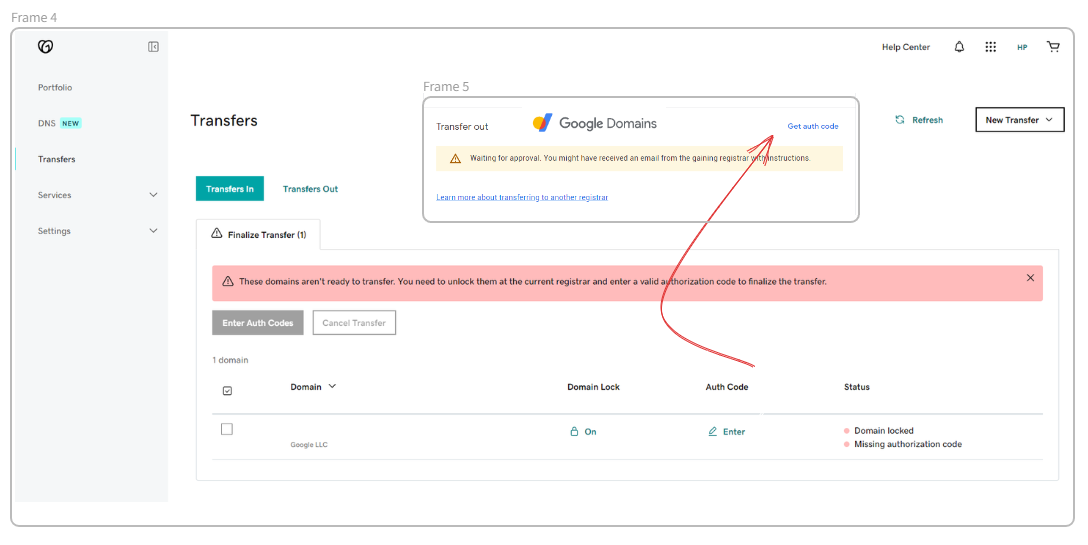
Step 5: Google Domains will send you a confirmation email to approve the transfer. You will also receive an email from GoDaddy. Read both emails carefully and follow the steps. Once completed, you will receive confirmation that your domain has been transferred successfully.
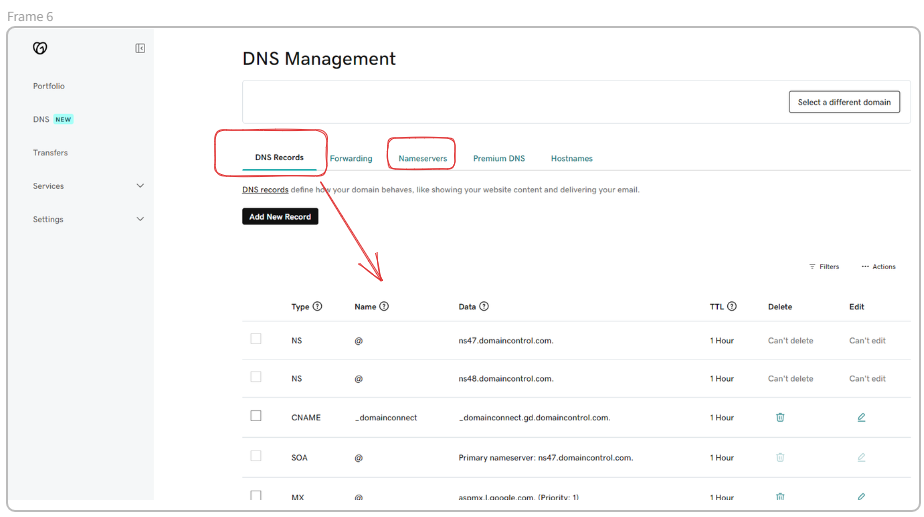
Step 6: Update your DNS records. In my case, I had two main records to update:
- Website: Create a DNS entry that points to your website hosting provider. In my case, that is Vercel. If you run an e-commerce site on Shopify, update the DNS so it points to Shopify instead.
- Email: If you use Google Workspace, update the DNS to point to Google’s MX records.
Important!
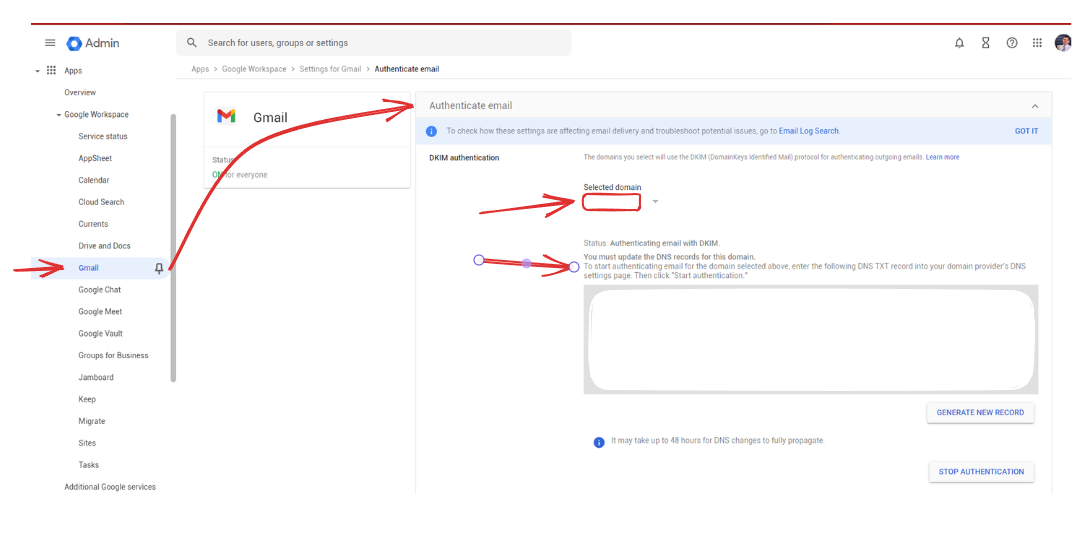
Add the authenticated email record to your GoDaddy DNS template ahead of time so you can update everything quickly and avoid errors.
#google #godaddy #domains #businessandmanagement
If you are looking for support to grow your business through strategic consulting, feel free to reach out by email. Share a clear overview of the challenges you are facing, and we will be happy to schedule a 15-minute meeting to explore your needs further. Your success is our priority.